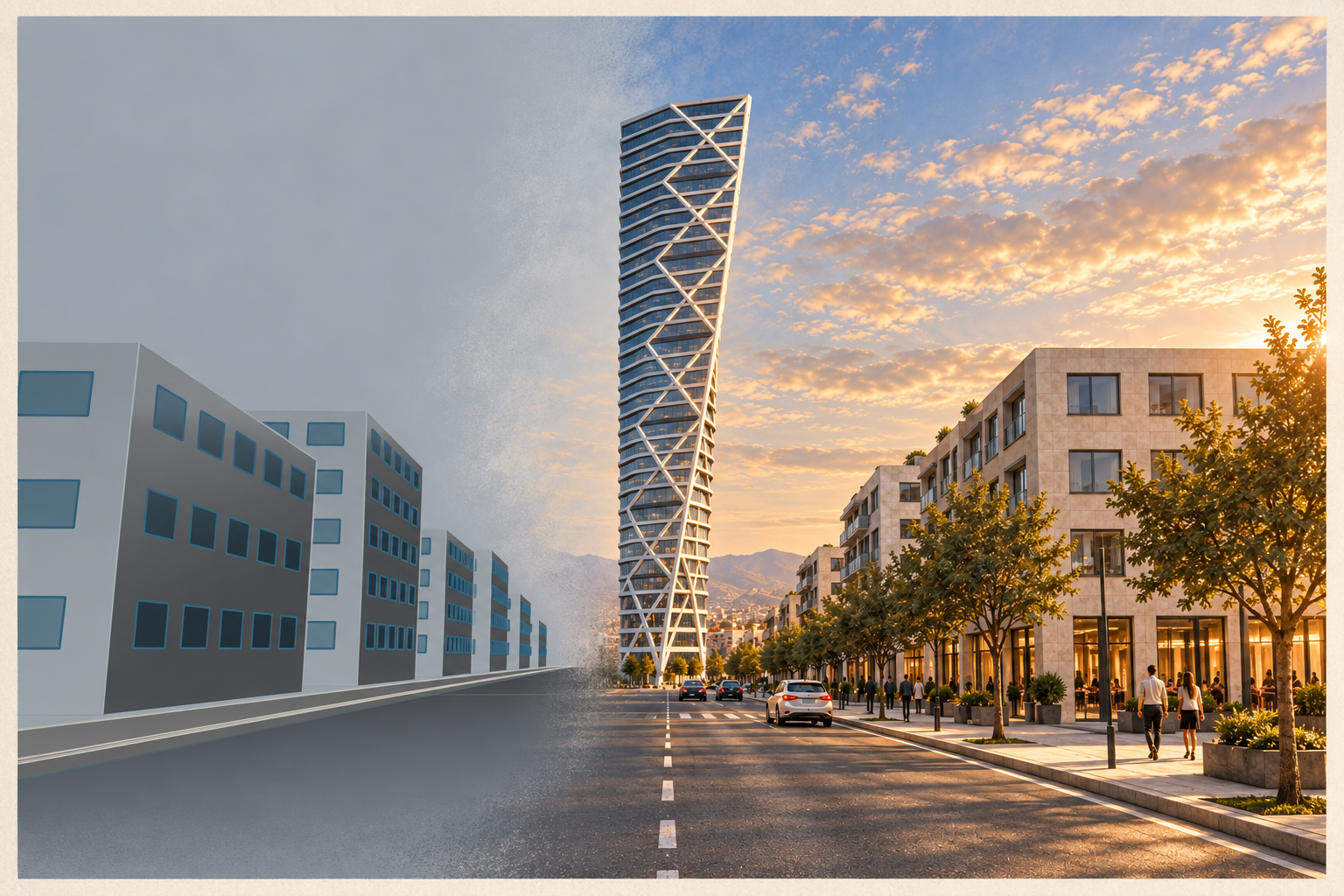
A 30-storey tower study shaped by a pointed plan, one-sided bracing and a 48-degree twist in Rhino, Grasshopper and Codex.
- Type
- Conceptual tower study
- Setting
- Fictional urban context
- Height
- 120m / 30 storeys
- Tools
- Codex / Rhino 8 / Grasshopper 1
01 / THE POINTED PLAN
A single nose gives the frame a direction.
An 18-by-18-metre rear body extends 18 metres to a point, forming a pentagonal plan. Bracing follows its two slopes, visible from the boulevard.
Thirty four-metre floors rotate 48 degrees around a fixed core in six five-floor modules. Seven belts mark the base, module boundaries and roof. Rotation takes a cue from Santiago Calatrava’s Turning Torso, while this study develops its own plan and street logic.
DESIGN ATLAS / 06 FRAMES
Follow the design rules.
Select a stage to trace the design from plan to street, separating editable Rhino geometry from presentation atmosphere.
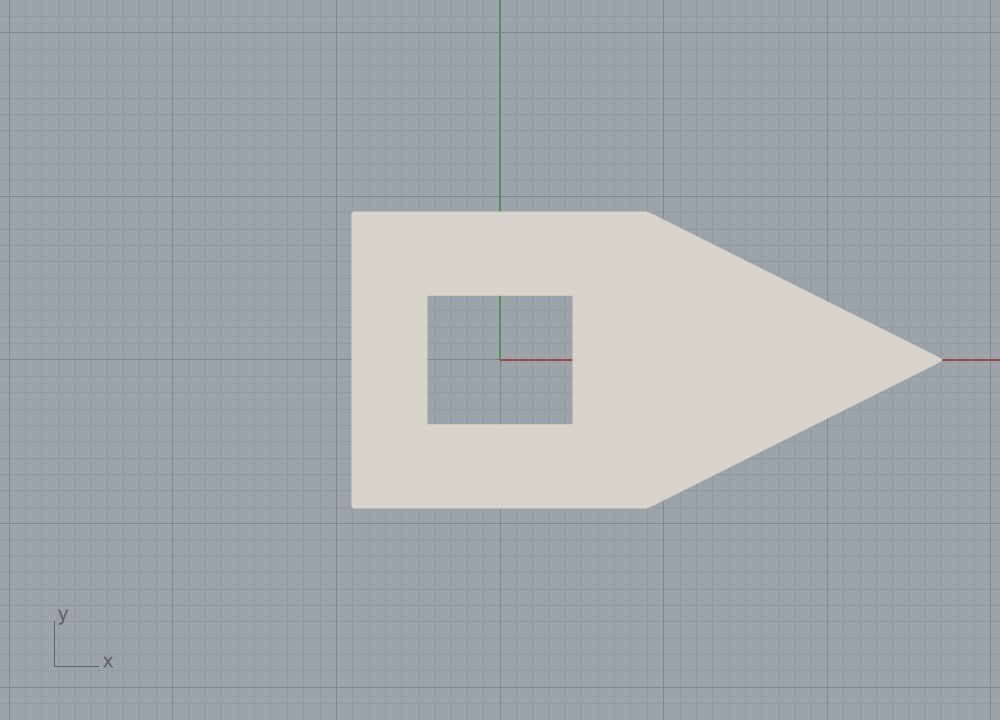
MODEL / PLAN
Five sides, one pointed face
An 18-by-18-metre rear body extends 18 metres to a point, where its sloping edges meet.
- Decision
- Brace the tapering edges.
- Result
- One perimeter drives each floor.
02 / THE WORKING INTERFACE
Codex turns design intent into an editable definition.
Codex reads design instructions and Grasshopper references, then uses Rhino-MCP-Platform to edit and solve the Rhino 8 definition. Grasshopper holds the parametric logic; Rhino stores the editable 3DM and GHX.
The GHX contains 128 objects, 168 wires, nine annotated groups and 25 sliders. Native components build floors and braces; two C# scripts generate glazing and context. The viewer reads this snapshot. The Grasshopper skill and RhinoAI guide are references; installed Swiftlet is not used by this graph.
DEFINITION / OPEN TO INSPECT
The components behind the form.
Pan, zoom, search, or choose one of the nine canvas groups. Selecting a component reveals its real ports and sampled output counts.
03 / STRUCTURE AND OCCUPATION
A repeatable floor makes the silhouette inhabitable.
Thirty 320-millimetre plates rotate around a continuous 9-by-8-metre core. Twenty-four diagonals, one spine and seven belts form the frame; the five-sided envelope has 900 default glazing surfaces.
Rhino layers keep core, slabs, glass and braces inspectable. The read-only viewer exposes names, ports, groups and sampled outputs; Grasshopper remains the editing surface.
04 / THE GROUND PLANE
The boulevard gives the brace a public address.
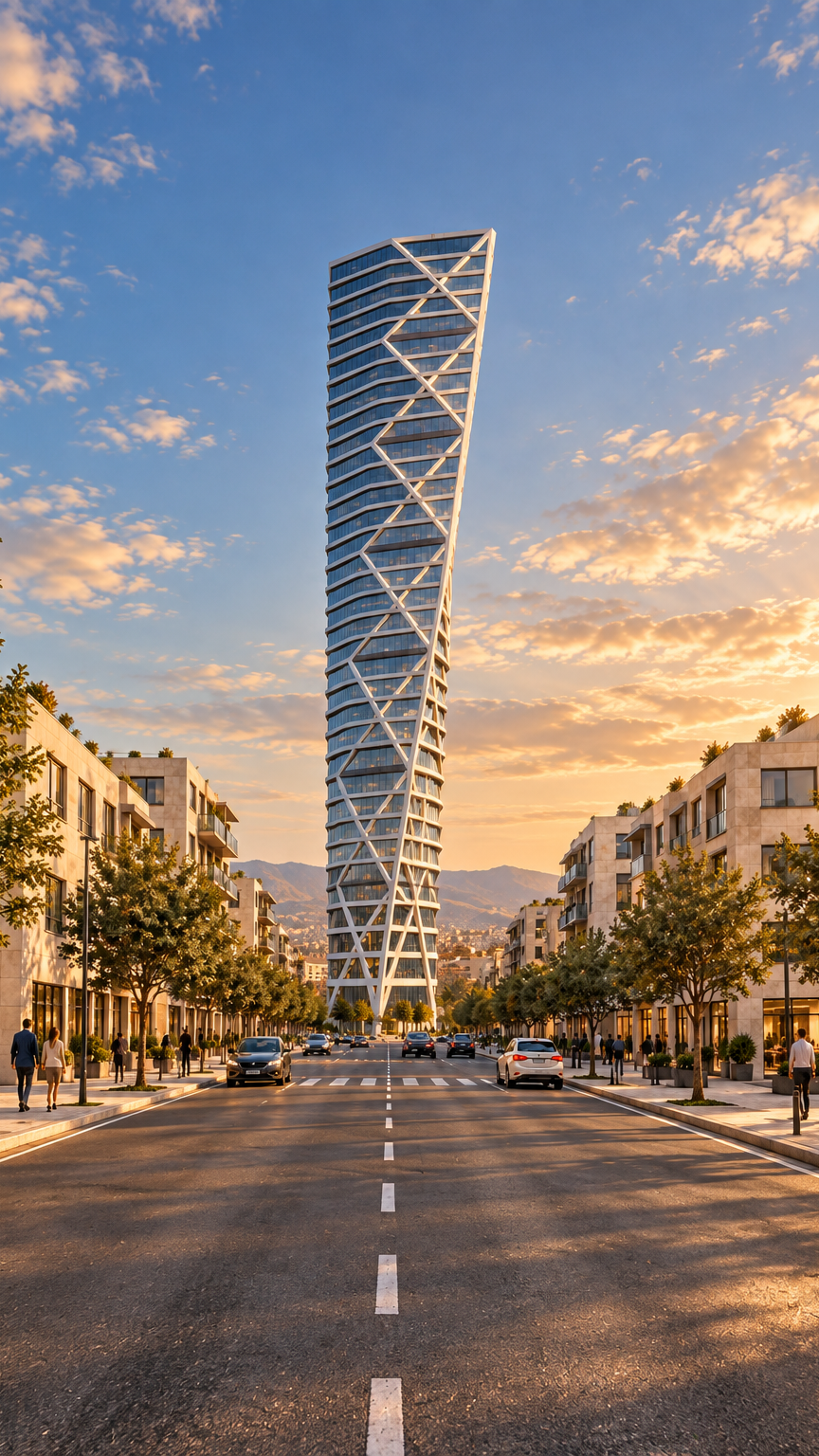
Ten low-rise buildings, 624 window panels and a 17.2-metre roof line frame the boulevard. A slider sets the sidewalk gap from 0 to 12 metres, saved at 3. A pedestrian-height street-axis camera frames the pointed nose.
05 / FROM MODEL TO IMAGE
Light and movement come after the model.
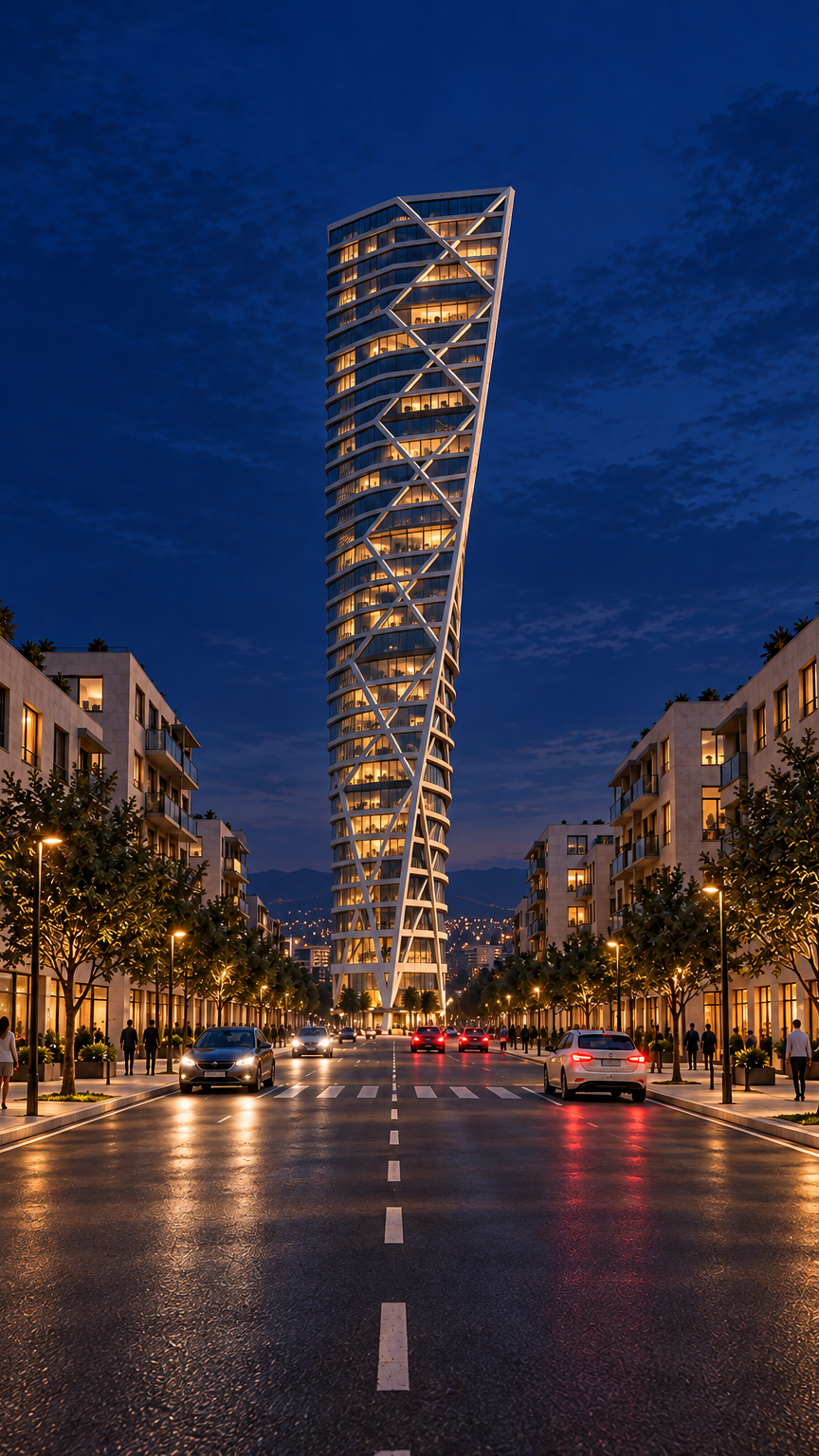
Rhino and Grasshopper define the architecture. ImageGen adds materials, planting, people, cars and light for presentation, not model geometry.
The four-second film turns live wireframe through 0, 24 and 48 degrees for two seconds, then shifts the fixed 48-degree scene from golden hour to night. Seedance 2.5 uses matched references while holding camera, tower and street layout.
READING / TOOLS
Sources and working files
- HSB Malmö: Turning Torso precedent and project context.
- RhinoAI documentation: Codex connection route for Rhino MCP.
- Grasshopper skill: Component reference and GHX reading workflow.
- Swiftlet: Installed Rhino plugin for web API requests; not a tower graph dependency.
- fal.ai Seedance 2.5: Reference-guided video endpoint and input schema.
06 / THE FINAL VIEW
One tower, three states.
The same boulevard view moves from editable wireframe to golden hour and night; only illumination changes.